
How do I sign up as a Brand Advocate/IBO?Updated a month ago
To Sign up as a Brand Advocate:
Step 1: Go to the website you were referred to
Step 2: Click on "Join Us" found in the top navigation
Step 3: Decide to join as a Brand Advocate or Brand Influencer.
Not sure which option is right for you? Many people start as a Brand Advocate and choose to upgrade to a Brand Influencer later as they become more familiar with the business. While becoming a Brand Influencer is completely optional, it provides the ability to grow your account and build teams to unlock additional commission tiers and bonus opportunities. Brand Influencer is not a rank, but rather an upgrade that expands your earning potential. If you would like to sign up as a Brand Influencer, you will first be prompted to select a qualifying pack, which is required for this designation. Once your pack has been selected, you can continue creating your account by following the same steps outlined below.
Step 1: Once you click on Brand Advocate, it will take you to the enrollment process. Fill out the required fields.
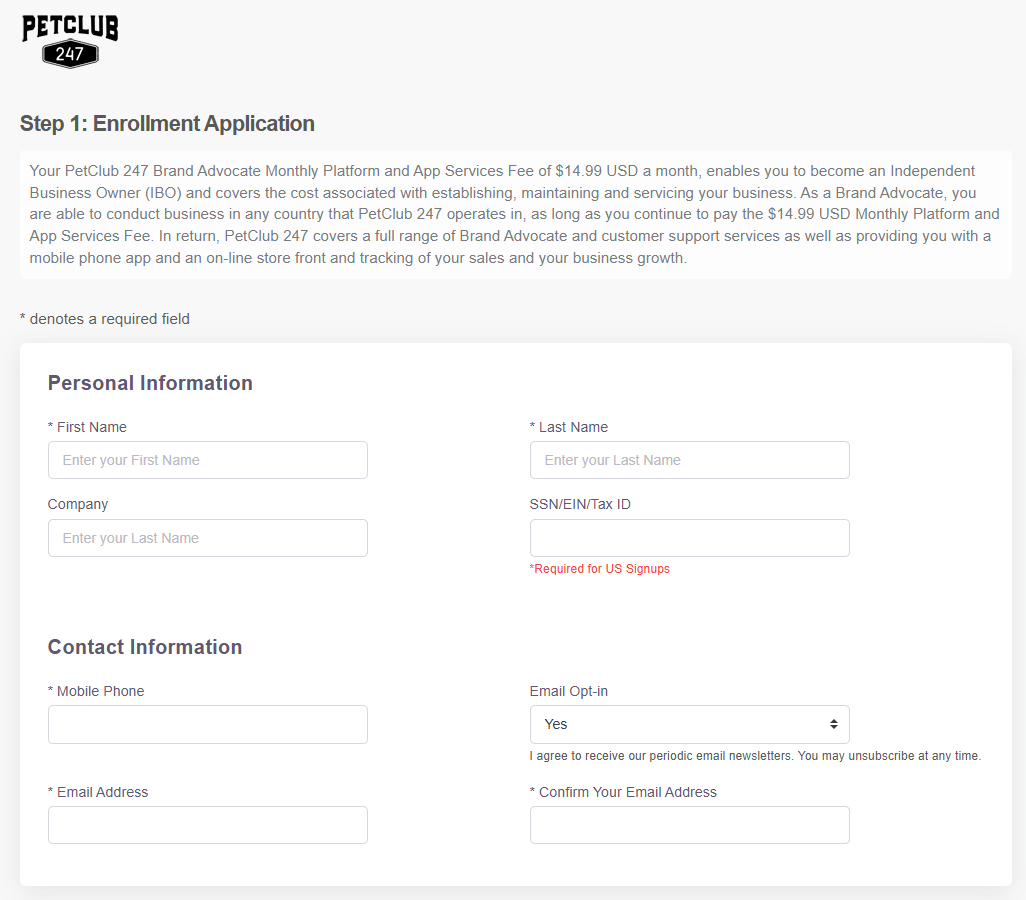
Step 2: Create a Username and Password for your account.
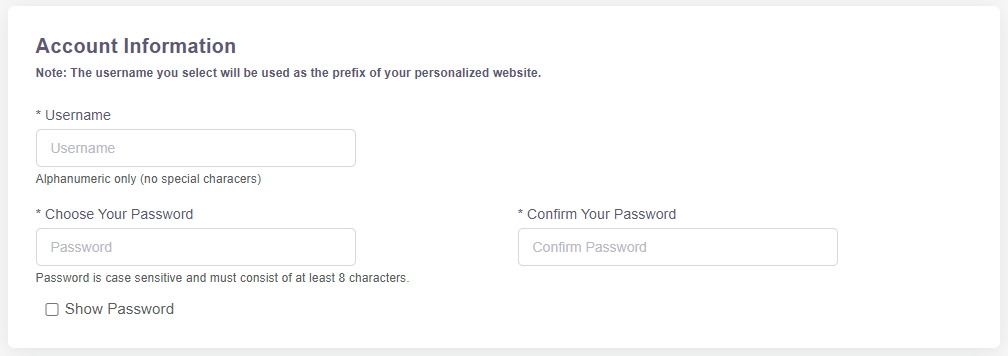
Please Note: Once you create your username, this will be a part of your URL to your replicated site that you will share with your customers. Only letters and numbers will be accepted. No special characters allowed. You will be given two replicated websites that you can use interchangeably depending on the focus of your business. Both websites offer the full selection of products; however, the Forest Natural website is available for Brand Advocates whose businesses are primarily focused on human products. Your two URLs will be {your username}.petclub247.com and {your username}.myforestnatural.com. For example, if your username is 4ourpets, then your two URLs will be: 4ourpets.petclub247.com and 4ourpets.forestnatural.com
We can always change your username later if needed.
For your password, it must be at least 12 characters long.
Step 3: Purchase your monthly enrollment fee of $14.99 *This is required in order to receive commission!
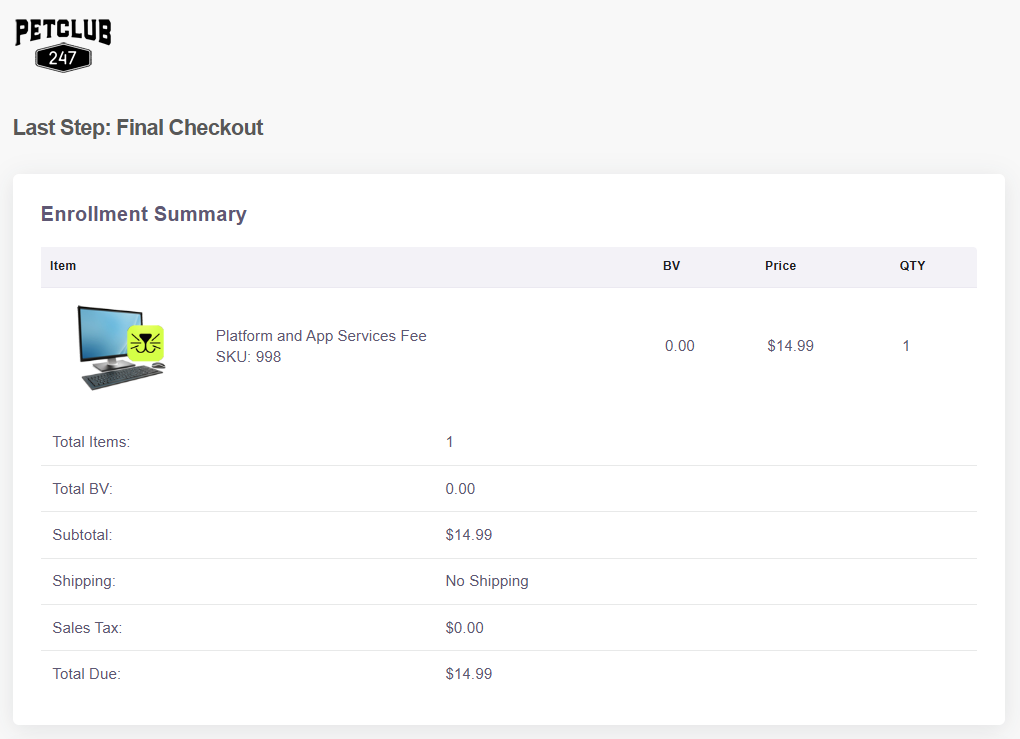
Step 4: Select both boxes, and Continue.
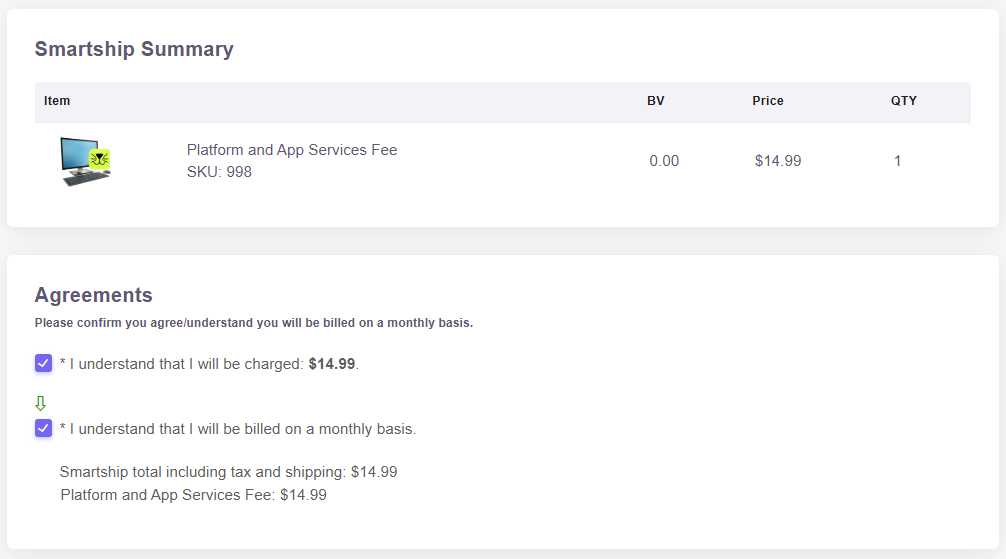
Please note: if the second check box under 'Agreements' does not appear for you, you may need to go back and double check your username does not contain any special characters.
Step 5: Fill out your billing info and submit your form.
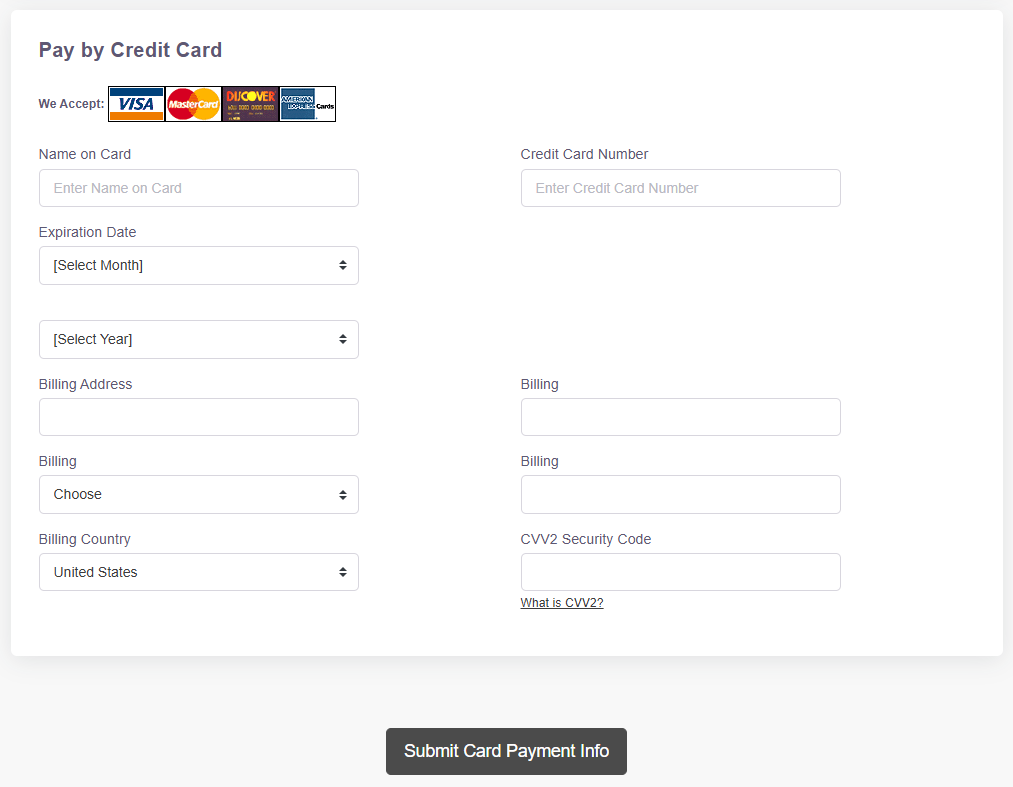
Once you Submit your enrollment form and you get to the Confirmation page, you are all set!
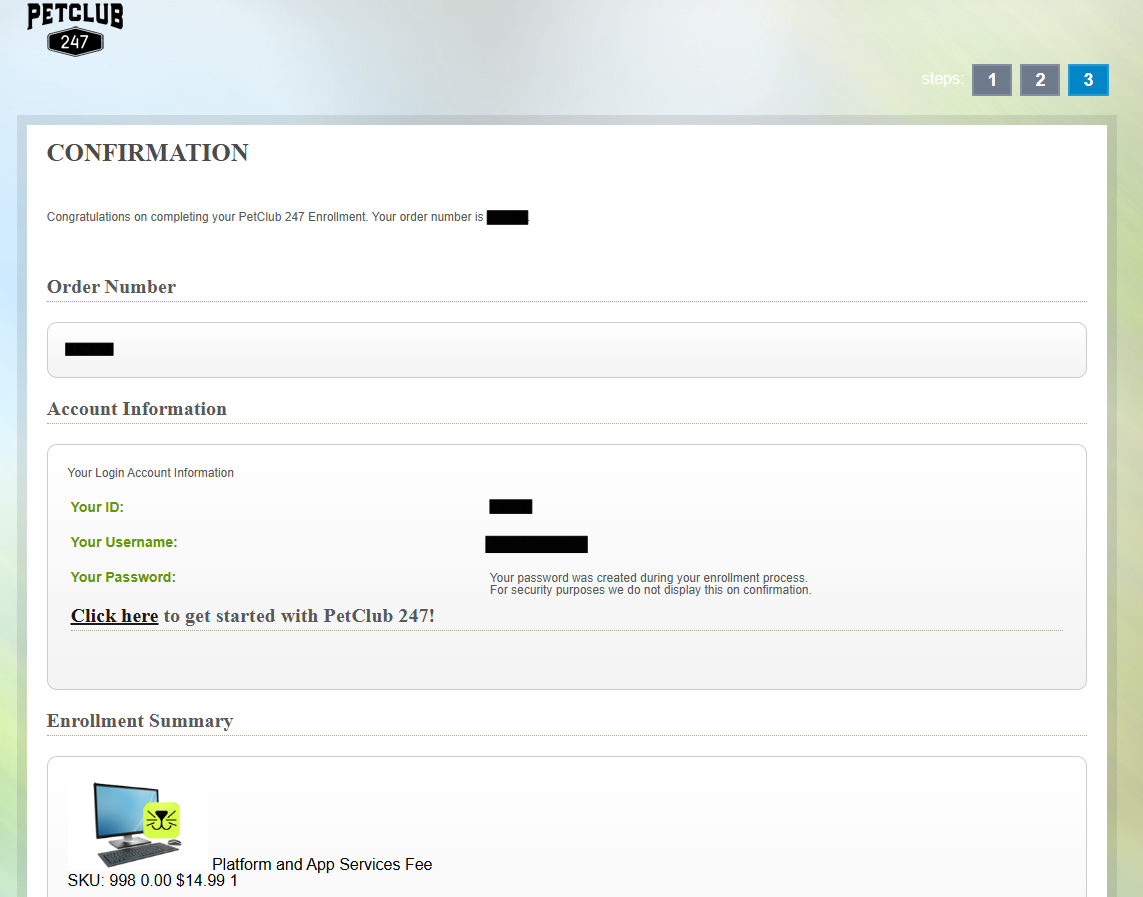
Now, you can click on the link to get into your account's backoffice and get started!