
How do I know if my order went through?Updated 3 months ago
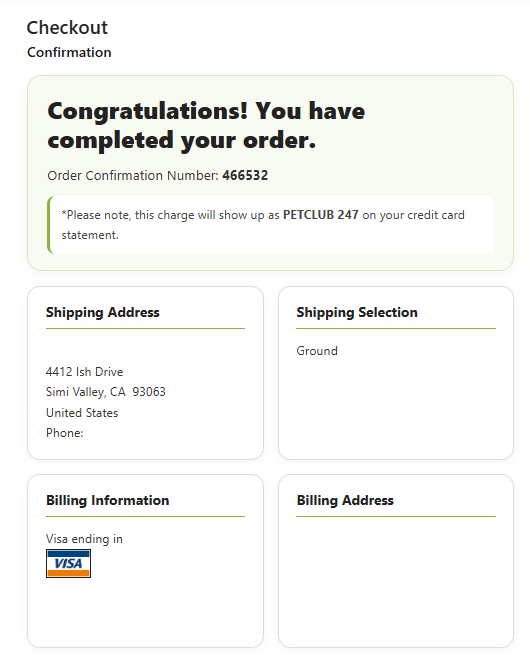
At the end of every checkout, it will take you to a screen that says "Congratulations!" at the top giving you an order # (see example below). This means your order has been processed and was successfully placed. You will also receive an order email confirmation with an order #.
You can also go into your account (from the Home page, click on "My Account"), then from there, go to "Order History" as shown below:
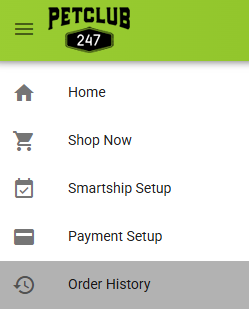
This will take you to a page listing all of your orders that have been placed which should show up immediately after being processed. You can also view the tracking from here once they ship.
If your order is not displaying on this page, then it did not go through and you can attempt to place it again knowing you will not be double charged.