
How do I add or edit my shipping address?Updated 5 days ago
To add or edit your shipping information:
- Sign into your account’s back office HERE
- On the left-hand side column, select “Payment Setup”
The top of this page will provide options to select a specific category
- Select “Edit Address”
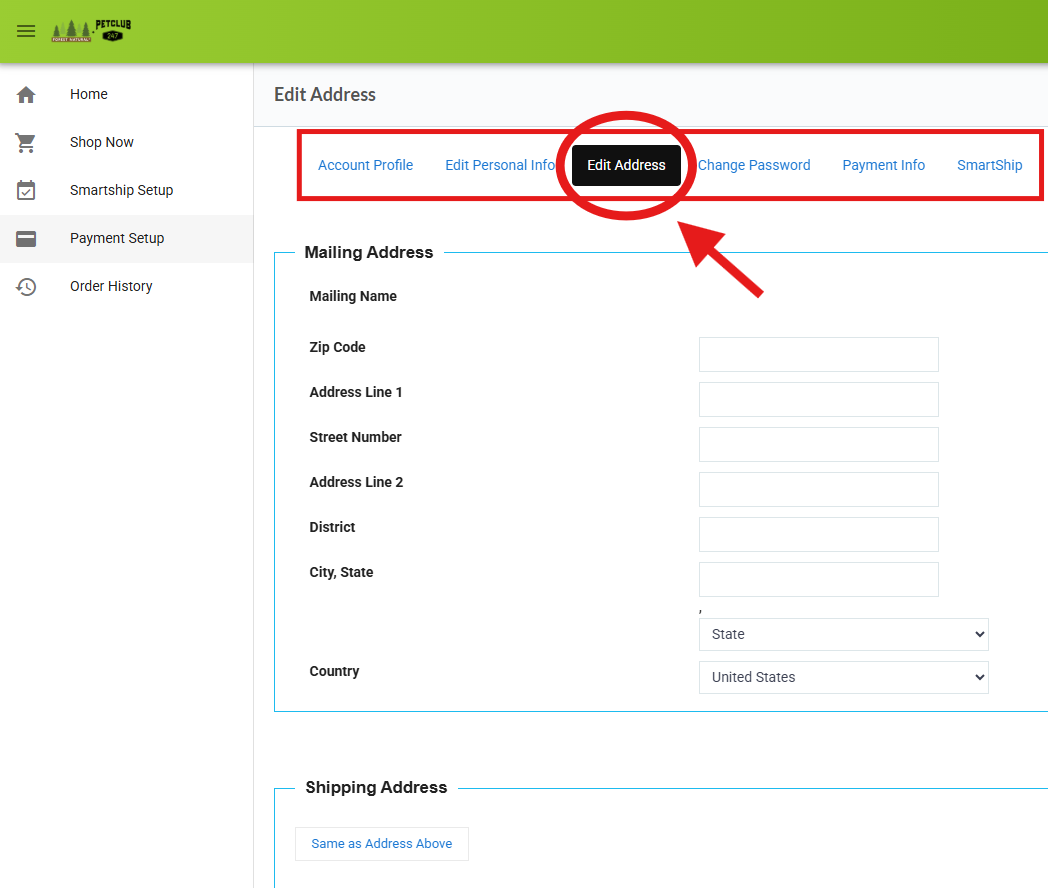
On this page, you’ll see both your Mailing Address and Shipping Address, with the option to edit either one as needed.
If your Mailing and Shipping Addresses are the same, you can start by updating your Mailing Address first. Once updated, simply select the “Same as Address Above” button under your Shipping Address to automatically copy over the same information. Be sure to click “Save” at the bottom of the page to save your changes before exiting.